How to create a call queue
Creating a call queue is easy. The Ooma Office administrator just needs to go to the settings screen and navigate to the Extensions tab. From there, administrators need to click the Add button and select Call Queues. Then they ca set a voicemail PIN that’s specific for that call queue’s voicemails. You’ll then be able to add members from your business to the queue and customize how the queue handles calls. This includes initial greetings, custom music, the ringing mode, ring duration and what happens if no one answers.
What’s the difference between a call queue and a Ring Group?
Unlike Ring Groups, call queues are designed for a high volume of calls. Call Queuing helps your business not miss any calls by putting callers into a holding pattern and then automatically sending them to the next available agent. Ring Groups, on the other hand, can only handle one call at a time.
How many kinds of reports are there?
There are three kinds of reports for Call Queuing. The Status Page lets you know what’s happening right now: how many calls are in your queue and how long they’ve been waiting. This can help you manage the call queue in real time, telling your employees to quicken the pace of their conversations to help the next customer.
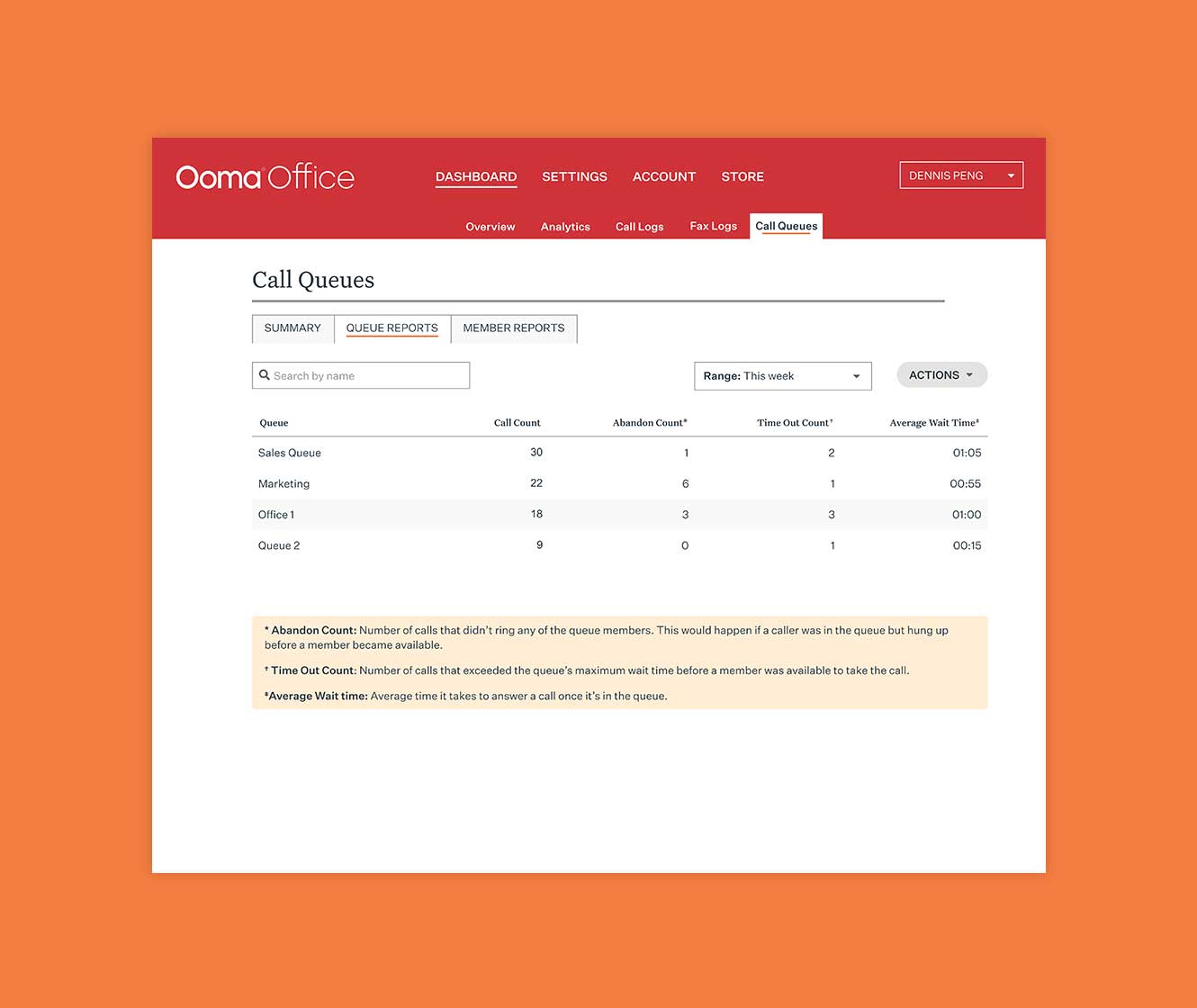
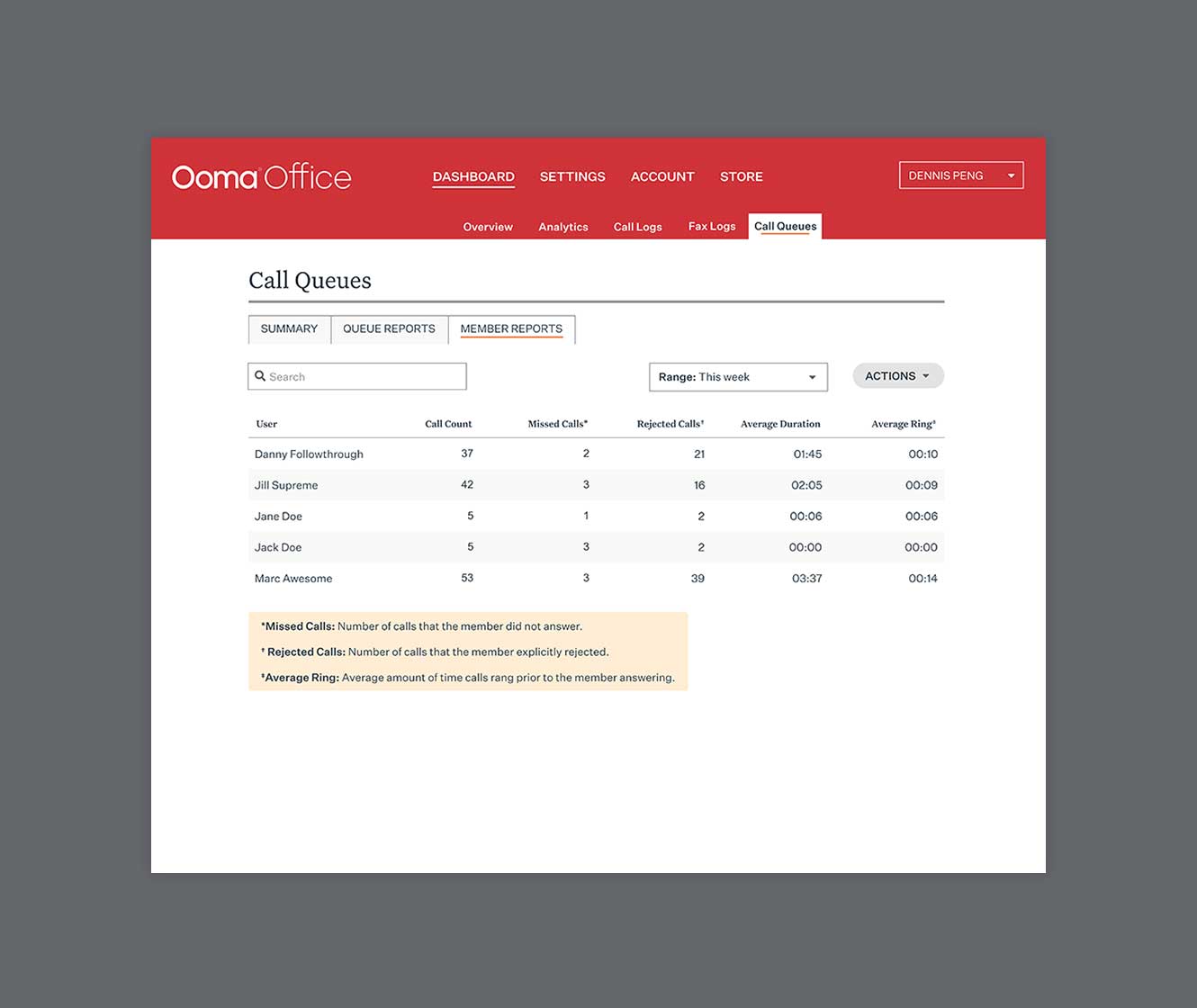
Queue and Member Reports let you look at data for your queue and employees. You’ll be able to see historical metrics about your performance, like call count, abandon count and more. This way, you’ll be able to dive deeper and analyze how your customer support is doing.
Editing a call queue with advanced settings
You can also edit call queues. In the Advanced tab, you can choose a maximum number of callers in your queue, the maximum caller wait time and even the wrap-up time. Wrap-up time gives your employees the opportunity to finish any notes or tasks related to a call they just completed before they get their next call.
What are Call Queuing maximums?
You can have a maximum of 10 employees per queue, with a maximum caller wait time of 15 minutes. You can have up to 30 callers per queue. Agent wrap-up time can go up to 5 minutes while ring timeouts happen after 30 seconds.
What about default music?
Ooma provides three sets of comfort music with announcements. You can also use the current music selection from our Hold and Transfer music feature.
What formats can be used for the initial greeting?
You can either use text-to-speech to create the greeting or upload your own audio file, if you prefer. You can upload MP3 or WAV files up to 10 megabytes.
What happens if no one picks up a call?
You can send a call to voicemail after a certain amount of time, asking a customer to leave a message and their contact information so you can call them back when the rush lets up. You can also send a call to another call queue, any other extension or even a user’s voicemail.
What voicemail box is used for Call Queuing?
Call Queuing uses a dedicated voicemail box, and it’s one of the key differences between a Ring Group and a Call Queue. Ring Groups send calls to an individual’s voicemail, while call queues send voicemail to a dedicated voicemail inbox. Voicemail alerts will be sent to the account admin via an email notification, and users can update this by contacting support.
Can you tell a customer how long the wait will be?
Currently, Call Queuing in Ooma Office Pro Plus does not tell customers how long the wait may take or where they are in the queue.
Is there a callback feature?
No, Call Queuing is a simple inbound call center. Callers won’t be given the choice to be automatically called back, rather than wait in the queue.