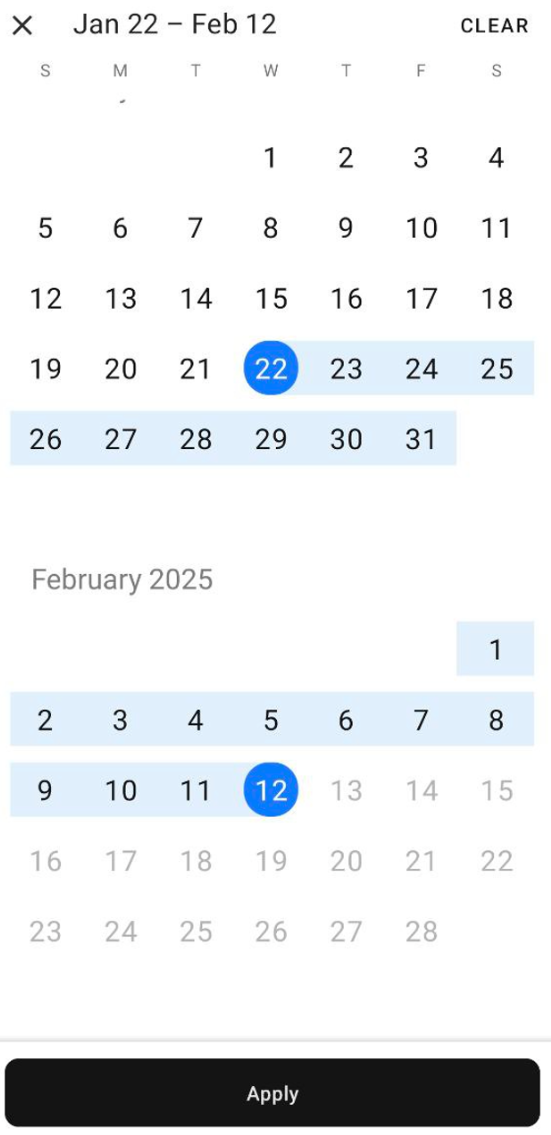
Last Updated: March 4, 2026
The Voicemail module is a visual voicemail box, displaying a feed of your most recent voicemail messages:
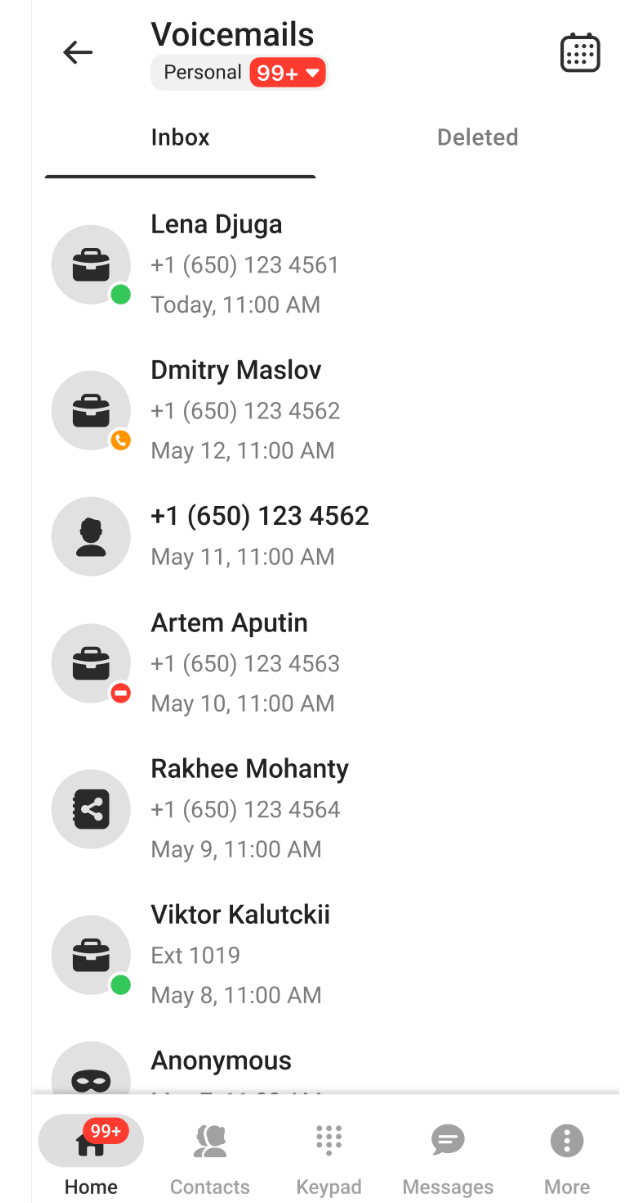
Tapping on any message opens a pop-up window, where you can perform several functions and actions:
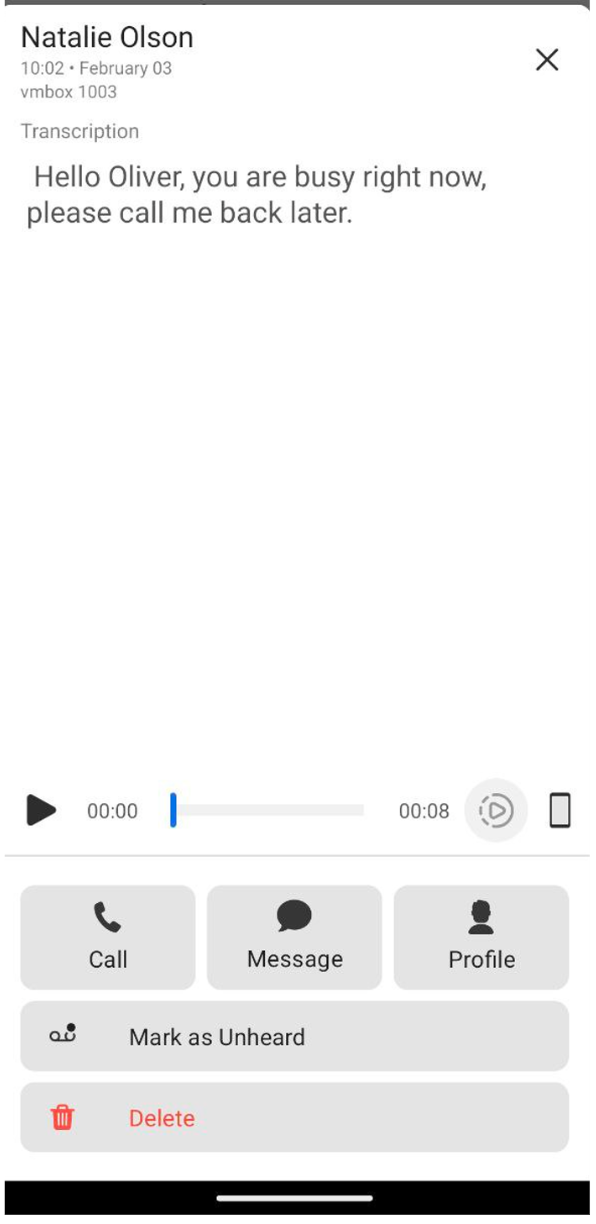
- The top line displays the sender’s name and the date the message was received.
- Below the top line is an automatically generated Transcription of the voicemail.
- Tap
 to play the voicemail.
 - Tap
 to adjust the message’s playback speed:

- Tap
 to switch between your cellphone’s speaker and earpiece:
 * Tap
* Tap  to return the voicemail sender’s call.* Tap
  to open your existing SMS chat or to create a new chat with the sender.* Tap
  to open the sender’s personal card.* Tap Mark as Unheard to label the message as unheard.* Tap Delete to delete the voicemail. The message is moved to the Deleted tab, where it stays for 30 days before being permanently erased.
You can filter the view in the Voicemails module by date by tapping  in the main menu. Select a start date and end date to show only voicemail messages received during that time: