Thank you!
An Ooma AirDial Sales Representative will be in touch shortly.
866-839-5810



Get your custom quote.
Let’s talk and see how much you can save with Ooma AirDial.

We’ll follow up within a business day.

We’ll help you analyze whether Ooma AirDial is a good solution for your needs.

A custom quote will be generated.

Generate Your Personalized POTS Line Replacement Business Case
Get the information needed to build your case for POTS replacement. Create a customized business case document that shows how much your organization can expect to save by replacing POTS lines with Ooma AirDial.
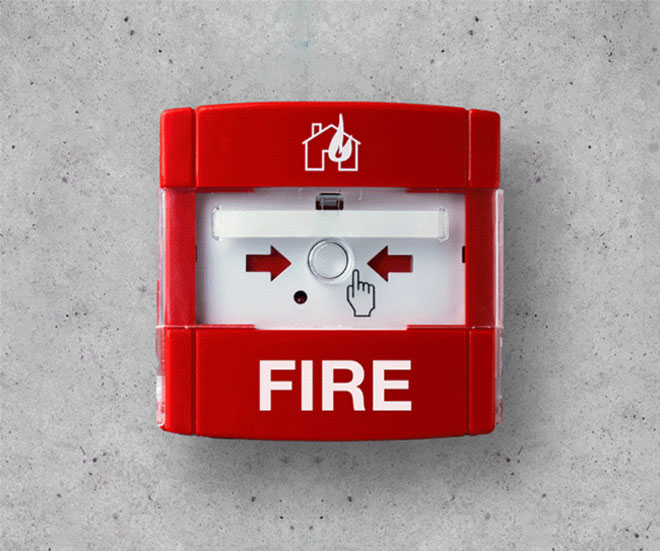
Still using POTS lines? See where they still support critical systems.
Check POTS ReadinessCall sales at:
866-902-6765
How do I find my existing analog phone lines?
Author: Tonya Hottmann
Key Points:
- Start with carrier bills and account records, but don’t assume every listed phone number is connected to a device or in use.
- Walk through each location to find equipment that may still use analog phone lines, including all life-safety devices.
- Match each line to a phone number, device, location, service provider and responsible ownership team.
- Confirm uncertain connections with the carrier or a qualified technician. Do not disconnect a line simply because no one recognizes it.
- Test and document critical systems before changing or canceling service.
It is easy to assume a carrier will simply switch your copper network to digital behind the scenes. A network upgrade does not automatically move your phone numbers, install replacement equipment at your building or verify that your connected devices still work. If the carrier is ending your copper line service, you need to act before the cutoff date.
Most organizations know how many phones their employees use, but most don’t have a current list of the analog lines serving equipment behind the scenes. Monthly bills may show the numbers, but not which devices are connected to those numbers.
A line audit gives you a reliable inventory of your phone lines and the systems that depend on them, so you can plan changes without overlooking a critical device.
1. Why analog lines are easy to overlook
An analog telephone line may have been installed years before today’s building managers arrived. The device it serves could be in an elevator machine room, equipment closet or another area that IT rarely visits. In a larger organization, facilities may know the device while finance manages the bills and IT controls the carrier accounts.
People may call a connection a landline or a hard line phone, but the name alone does not tell you whether it is an analog telephone.
2. Where to look for existing analog phone lines
Start with the records you already have:
- Carrier invoices and account portals
- Telecom inventories and past installation records
- Fire alarm and elevator service records
- Security, access control and building maintenance records
- Lists of numbers assigned to each site
Next, walk the property with the people who maintain its systems and check fire alarm panels, elevator equipment, security panels, gate and door entry systems, intercoms, fax machines, modems and any dedicated or backup phones. At each device, note the label, connection and any phone number shown in its documentation.
A bill is a starting list, not a completed inventory. A number may be billed to one office while its device sits elsewhere, and a physical walkthrough may reveal equipment missing from the records.
3. How to conduct a line audit
Step 1: Build a list of billed services
Record every phone number, account number, service address, carrier and monthly charge, including lines across all locations and accounts. Flag unclear descriptions and add them during the walkthrough.
Step 2: Identify the connected device
Work with facilities staff and the appropriate service contractors to match each line to its equipment. Record the device type and its exact location, such as “north elevator machine room,” rather than only the building name.
Step 3: Verify uncertain lines
If you cannot match a number to a device, ask the carrier for available service details and have a qualified technician trace the connection where needed. Coordinate any testing with the team responsible for the device. Never unplug a suspected life-safety line to see what stops working.
Step 4: Record how the line is used
For each confirmed connection, capture whether the device makes outgoing calls, receives calls, sends monitoring signals or supports another function. Note any backup path, power requirement, monitoring provider or inspection requirement for each device.
Step 5: Review the inventory with stakeholders
Review the list with facilities, IT, finance, property managers and the other relevant stakeholders including contractors. Assign a project coordinator who owns the master list of devices and an owner to each unresolved line. Develop a list of the highest-priority devices, with fire, life, and safety devices as the highest priority.
4. What to put in your analog line inventory
A practical inventory should answer five questions for every line: Where is it? What does it connect to? Who provides it? Who owns the device? Has its function been verified?
| Field | What to record |
|---|---|
| Site and device location | Building, floor, room and equipment label |
| Phone number and carrier | Number, account and service provider |
| Connected equipment | Device type and, when available, model |
| Function | Calls, alarm signals, fax, modem traffic or another use |
| Responsible contacts | Internal owner and service or monitoring provider |
| Verification status | Confirmed, needs tracing or needs a supervised test |
| Priority | Whether interruption could affect safety, access or operations |
Keep the inventory current when equipment, numbers or providers change. That makes the next carrier notice, inspection or replacement project much easier to manage.
5. What to do after you find your lines
Once you know what each line supports, separate routine services from systems that need contractor involvement and careful testing. Review the requirements for each device with its service provider and applicable local authority before choosing replacement connectivity.
Confirm the new connection works with the actual device and, where relevant, that the monitoring center or receiving party gets the expected call or signal. See the Ooma POTS shutdown notice guide for additional information.
The real decision
You cannot plan a dependable transition around phone lines you have not identified. A line audit turns scattered bills and equipment records into a clear list of dependencies, owners and next steps.
Next step
Start with one site: pull its carrier bills, schedule a walkthrough and mark every line as confirmed or needs investigation. Once the inventory is complete, you can prioritize critical systems and build a replacement plan around what is connected.