12 new remote management features that help you resolve issues before they have an impact
 | May 22, 2026 | 3 min read |
Key Points
- Proactively detect outages, disconnected equipment, and off-hook devices before they impact operations.
- Simplify multi-location infrastructure management with centralized visibility and remote device control.
- Improve IT efficiency with bulk provisioning, enhanced analytics, global search, and secure remote access.

IT issues can be devastating to any business. Not only does downtime affect your business’ reputation and productivity, it has a monetary cost too. According to Gartner, the average cost of IT downtime is $5,600 per minute.
When you’re managing devices at multiple sites, the challenge of keeping on top of things is made more difficult by having to physically visit sites to verify normal operations. If they’re running on legacy Plain Old Telephone Service (POTS) lines, this becomes even more difficult due to their deteriorating reliability and increased cost.
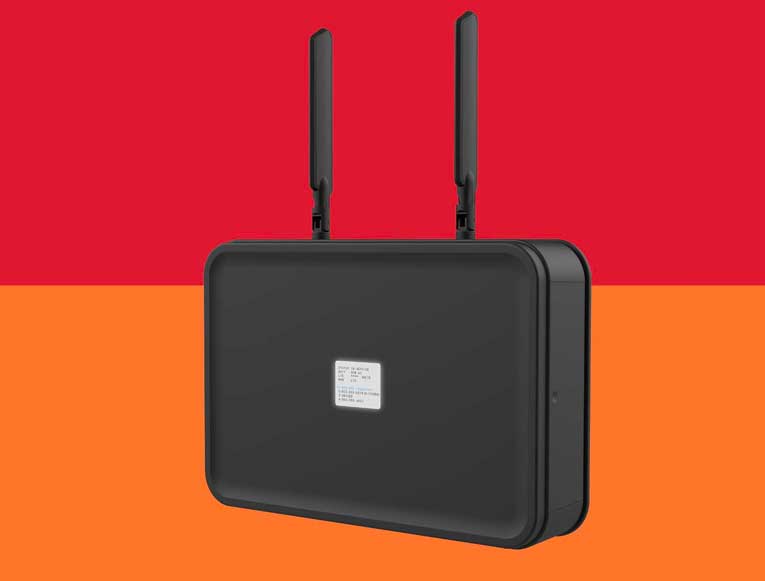
However, with Ooma AirDial’s Remote Device Management (RDM) you get centralized control over every device across all locations from a single interface, with visibility into both device and telephony status in one place. Instead of managing lines site by site, you can quickly see what’s happening across your entire environment—making it easy to manage large, distributed deployments with confidence.
With proactive alerts for events like equipment disconnects, devices left off-hook, outages, power issues, and call activity, you can identify and resolve issues before they impact operations—without costly site visits. The result is a more efficient, scalable, and reliable way to manage critical analog infrastructure.
Ooma is continually updating RDM to make it more helpful, here are 13 new features that make it more helpful than ever.
12 key new RDM features
Equipment Disconnect Detection
Unlike other solutions, Ooma AirDial’s RDM can detect when analog equipment is physically unplugged from a port and trigger alerts. This gives IT teams visibility into issues that go beyond network connectivity.
Extended Off-Hook Notifications
Users can receive alerts when a device is left off-hook without an active call for more than 120 seconds. This unique-to-AirDial feature helps prevent missed calls and ensures critical lines, like emergency phones, are always ready.
Hook State & Disconnect Status in Device View
You can get a quick look at real-time port status in the main device dashboard. This includes whether a device is in use and if it’s connected or disconnected, making it simpler to quickly identify issues without wasting time digging into details.
Location Information in Call Logs
Call logs include better context for troubleshooting and reporting, including additional location data like a device’s street address and the rate center/state of the remote number.
Enhanced Analytics
RDM charts now support up to 30 days of historical data to spot trends, monitor usage patterns, and make more informed decisions.
Global Search
Users can find any device across all accounts in seconds from one central search. Quickly locate and jump directly to devices using names, numbers, or IDs—no more digging through accounts.
Easy Access & Security
RDM features Single Sign-On (SSO) and strong access controls, making it easier and more secure to manage who can log in. Teams can grant temporary access to technicians without long-term risk, improving efficiency.
Fast Setup for Large Deployments
Bulk onboarding and streamlined provisioning make it possible to deploy many devices at once, significantly reducing the time and effort needed for multi-location rollouts.
Great Visibility Into Porting & Activation
RDM has real-time tracking for number porting and activation status. Teams can see progress clearly without chasing updates or relying on manual communication, saving time that can be better used for other, more critical tasks.
Monitoring Across Locations
Centralized dashboards make it easier to monitor devices across multiple sites. This gives IT teams a single place to manage large-scale deployments so they can increase visibility into operations.
Mobile-Friendly Management
Technicians can manage devices directly from phones or tablets, improving efficiency during on-site installs and troubleshooting.
Quick Device Navigation
Jump between devices instantly with a drop-down menu in the Device view—no need to return to the grid. Easily switch across all devices within the account in just a click.
You’ve got the tools for modern infrastructure management
Ooma AirDial is built for the modern world, not only converting your old legacy POTS lines but also enabling you to be more proactive and take care of issues before they have an impact on your business or client.
Modern infrastructure management is about being proactive, not reactive, and Remote Device Management’s new features make you more efficient, from faster deployments with features like fast setup and bulk provisioning to greater visibility with hook status, device view, enhanced analytics and more.

We’ll follow up within a business day.

We’ll help you analyze whether Ooma AirDial is a good solution for your needs.

A custom quote will be generated.
Thad is the Vice President of Product Management at Ooma, responsible for driving great user experiences across Ooma’s portfolio of hardware devices, mobile apps, and services. Thad has more than 20 years experience building and managing consumer tech products at leading tech companies including Yahoo!, BlackBerry, and 3jam (acquired by Skype). He has worked on messaging and communications products used by hundreds of millions of people worldwide. Thad holds a BA from Rice University in cognitive science and linguistics.



Still using POTS lines?
See where they still support critical systems.
Call sales at:
866-902-6765
Thank you!
An Ooma AirDial Sales Representative will be in touch shortly.
866-839-5810



Check your POTS Line Readiness
Download the checklist to review your active POTS lines and connected systems.