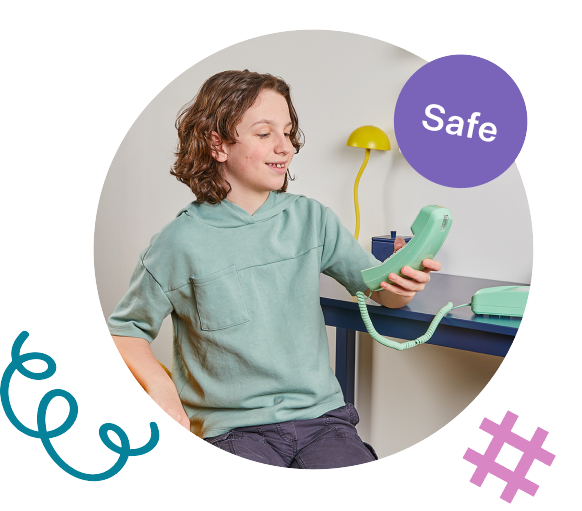
Introducing MyPhone by Ooma,
a modern landline for kids.
Learn More
Home > Home Phone Service > MyPhone > Community > Emergency Preparedness

Emergency Preparedness

Simple ways to teach kids calm, safe, and confident responses to emergency situations.

Why talk about emergencies?

  • Kids feel safer when they know what to do in scary situations
  • Practice builds confidence, not fear
  • Clear steps reduce panic in stressful moments
Green phone and warning sign

What kids should know:

Child holding a phone

How to call for help:

  • When to call 911
  • How to use your MyPhone to call 911

Know where you are:

  • Home address
  • Caregiver names

How to stay calm:

  • Take deep breaths
  • Speak slowly and clearly

Get to a safe place:

  • Stay where it is safe
  • Don’t open doors to strangers

What kids should say in an emergency:

“Hi, my name is Anders Johnson. My mom isn’t responding and I need help.”

MyPhone automatically shares your registered home address, so kids just need to say who they are and what’s wrong.*

*Subject to the technical capabilities of the local emergency center. You must provide and keep updated your MyPhone location for accurate 911 calling. See www.ooma.com/legal/e-911-terms-and-disclosures/ for more details.

Phone illustration

How to talk to children about emergencies:
Emergency icons illustration

Keep it simple

  • Use clear, age-appropriate language
  • Focus on just 2–3 key actions

Be calm and reassuring

  • Avoid overwhelming details
  • Emphasize that you are helping them learn

Use real-life examples

  • “If someone gets hurt, do this…”
  • “If you smell smoke or see a fire, do this…”

Practice with role playing

  • “What would you do if…”
  • “What would you say when you call 911?”
EXITE POPUP

Here’s Your $5 Off!

Enter this code at checkout to save $5 on your first MyPhone order. We’ve also emailed it to you.

myphone5
Shop MyPhone & Save $5

One use per customer. Valid on your first order.

Wait! Limited Time Offer.

Get $5 Off Your First Order.

Give your kid a phone of their own, without the screen.
MyPhone is the modern landline with the controls parents want.

Scheduled Quiet Hours keep kids focused during homework and bedtime
Trusted Circle lets only parent-approved
contacts call
Safe & Sound with address-based 911
Sign up for MyPhone emails to get your code, plus promotions, new features, and tips for families. Unsubscribe anytime.
Fix error
Chat support

Thanks — We’ve Got Your Request.

A member of our support team will reach out to you as soon as we’re back online. In the meantime, you can keep browsing our support articles.

Need an answer right now?

Most questions are already answered in our support articles — setup guides, troubleshooting and how-tos.

Visit the Support Site
Or leave a message and we’ll follow up
By clicking below you expressly agree to and acknowledge the statements set forth in this
link By submitting your contact information, you are giving express written consent to receive on your telephone, mobile or other electronic device auto-dialed, pre-recorded, artificial or other automated telemarketing calls or texts (SMS & MMS) from Ooma, its marketing partners, or third parties acting on Ooma’s behalf, even if your number is a on a corporate, state or federal Do Not Call (DNC) list. Carrier fees may apply. Consent is not a condition of purchase. It also indicates that you agree to Ooma’s Privacy Policy.
and in the Ooma Rewards Program Terms and Conditions.
Fix error